











Ultimate Maintenance Guide
Keep Your 3D Mouse Pad Fresh, Clean, and Long-Lasting
3D mouse pads are essential for ergonomic support and personal expression. However, their complex structure—featuring 2-Way Tricot fabric and silicone filling—requires a gentle touch when it comes to hygiene.
- Hygiene: Prevents bacteria from sweat and dust.
- Performance: Restores smooth mouse gliding and "skin-like" touch.
- Longevity: Prevents the silicone from hardening and fabric from peeling.
Phase 1: Daily Maintenance
Use a soft, dry cloth or a soft-bristled brush to gently remove dust and hair. For the crevices around the 3D silicone parts, a cotton swab (Q-tip) works wonders.
Phase 2: Deep Cleaning (The Professional Wash)
If your pad feels sticky or looks grimy, it's time for a full wash. Please be gentle throughout the process.
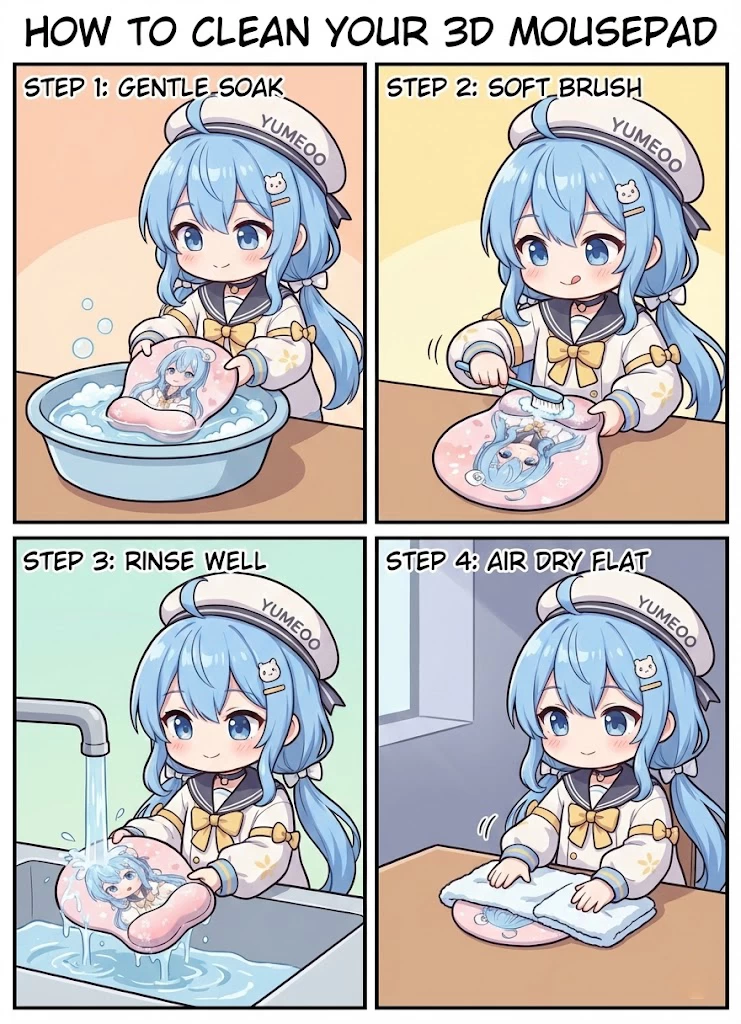
Submerge in lukewarm water (approx. 30°C/86°F). Never use hot water, as it dissolves the glue.
Apply diluted dish soap or hand soap. Use your fingertips to massage the 3D areas in circular motions.
Rinse thoroughly. Lay flat on a dry towel and press gently to absorb water. NEVER WRING OR TWIST.
Phase 3: Proper Drying (Crucial)
The #1 way to ruin a 3D mouse pad is improper drying. Follow these rules strictly:
- Air Dry Only: Lay it flat in a well-ventilated indoor area.
- No Sun: UV rays will fade the artwork and damage the rubber base.
- No Heat: Never use a hair dryer. High heat causes the fabric to bubble and peel.
How often should I wash it?
- Light Use: Dusting once a week; spot clean monthly.
- Heavy Use: Full wash every 1-2 months.
- Accidents: Clean liquid spills immediately with a damp cloth.
Pro Tips for Longevity
- Wash your hands before long gaming or work sessions.
- Keep sharp objects (pens, jewelry, long nails) away from the silicone mounds.
- Avoid using harsh chemicals or bleach.
Follow these steps, and your favorite 3D companion will stay vibrant and comfortable for years!